How Lina's AI-Written SQL Doubled Last Month's Sales - The Habit of Checking Row Counts
What you'll be able to do
- Check the result of AI-written SQL by its row count and the contents of one row
- Find why a JOIN added rows, and fix it by adding a condition or totaling first
- Run COUNT(*) with the same WHERE before an UPDATE to confirm how many rows will change
Prerequisites (read these first)
You asked an AI to write SQL. It ran with no errors, but the numbers do not add up. Has that happened to you? In this article, Linny-senpai and Lina build one habit: check the row count and one row of the result with your own eyes.
What you will learn
- Why SQL that runs without errors can still answer a different question
- How to spot a JOIN that added rows, and two ways to fix it
- The habit of counting with the same condition before an UPDATE, and a 3-step check for AI answers
Introduction
Conclusion: No errors does not mean a right answer. If sales look doubled, count rows first.
1. What Happened? Lina Ran the AI's SQL As-Is
Conclusion: The SQL joining 3 tables returned 18 rows, not 1 per member, so the total grew.
The commands in this article do not work in the Penguin Gym Linux virtual terminalAn interactive program that reads the commands you type and runs them.. Try them in the terminal on your own computer (Ubuntu). First, open "How to create the practice data gym.db (do this once first)" below and get ready.
sqlite3 is a command that lets you type SQL in the terminal.sqlite3 gym.db "SQL", the SQL runs once on the file gym.db. The $ at the start of a line only marks where you type, so don't type it.Lina's practice data for her gym, gym.db, has three tables.
| Table name | What it holds |
|---|---|
members |
The member list (id / name / city). 12 people |
enrollments |
Records of joined plans. When a member changes plans, the old row gets an end date |
payments |
Last month's payment records (member id / amount) |
How to create the practice data gym.db (do this once first)
First, check that sqlite3 is available.
- In the terminal, type
sqlite3 --versionand press Enter. If a number such as3.45.1appears, you are ready (the number depends on your system) - If it says
command not found, typesudo apt install sqlite3.sudoruns a command with administrator rights, andaptis the command that installs software on Ubuntu - If it asks for a password, type your login password and press Enter. The characters do not appear on the screen, and that is normal. If it asks
[Y/n], typeyand press Enter - Type
sqlite3 --versionagain and confirm that a number appears
Next, create gym.db.
- Copy all of the code below, from the first line to the last
EOFline - Paste it into the terminal with
Ctrl+Shift+Vor right-click and choose "Paste".Ctrl+Vdoes not paste in the terminal - From the second line on, a
>appears at the start of each line. It means the terminal is waiting for more, and it is not an error - When everything up to the last
EOFis shown, press Enter. If you are back at the$line, it worked
A file named gym.db appears in your current directoryA container that organizes files. Same idea as a "folder" on Windows or macOS. (directory means folder). Everything from <<'EOF' to EOF is passed to sqlite3 in one go.
sqlite3 gym.db <<'EOF'
DROP TABLE IF EXISTS members;
DROP TABLE IF EXISTS enrollments;
DROP TABLE IF EXISTS payments;
CREATE TABLE members (id INTEGER PRIMARY KEY, name TEXT, city TEXT);
INSERT INTO members VALUES
  (1,'Pip','Tokyo'), (2,'Momo','Tokyo'), (3,'Kai','Sapporo'),
  (4,'Luna','Tokyo'), (5,'Nico','Tokyo'), (6,'Rio','Osaka'),
  (7,'Sora','Osaka'), (8,'Tama','Osaka'), (9,'Ana','Lisboa'),
  (10,'Ken','Porto'), (11,'Yuki','Lisboa'), (12,'Leo','Austin');
CREATE TABLE enrollments (member_id INTEGER, plan TEXT, ended_at TEXT);
INSERT INTO enrollments VALUES
  (1,'student','2025-03-31'), (1,'basic','2026-03-31'), (1,'pro',NULL),
  (2,'basic',NULL),
  (3,'basic','2025-08-31'), (3,'student','2026-01-31'), (3,'pro',NULL),
  (4,'student',NULL),
  (5,'pro','2025-06-30'), (5,'basic','2026-02-28'), (5,'pro',NULL),
  (6,'basic',NULL),
  (7,'basic','2025-09-30'), (7,'pro','2026-04-30'), (7,'pro',NULL),
  (9,'basic',NULL), (10,'student',NULL), (11,'basic',NULL);
CREATE TABLE payments (member_id INTEGER, amount INTEGER);
INSERT INTO payments VALUES
  (1,4500), (2,3000), (3,4500), (4,2000), (5,4500),
  (6,3000), (7,4500), (9,3000), (10,2000), (11,3000);
EOF
No matter how many times you run this, you get the same starting state. The first 3 lines, DROP TABLE IF EXISTS, delete any tables made before and then build them again. If you break the data, run this again and everything is back to normal.
$ sqlite3 gym.db "SELECT m.name, e.plan, p.amount
FROM members m
JOIN enrollments e ON e.member_id = m.id
JOIN payments p ON p.member_id = m.id;"
Pip|student|4500
Pip|basic|4500
Pip|pro|4500
Momo|basic|3000
Kai|basic|4500
Kai|student|4500
Kai|pro|4500
Luna|student|2000
Nico|pro|4500
Nico|basic|4500
Nico|pro|4500
Rio|basic|3000
Sora|basic|4500
Sora|pro|4500
Sora|pro|4500
Ana|basic|3000
Ken|student|2000
Yuki|basic|3000
| separates the columns. After SELECT you write the columns to take out, and after FROM you write the table name.members m gives the members table the short name m. So m.name means "the name column of members."JOIN connects two tables by matching rows with the same member id. After ON, you write the condition for connecting them.SUM(p.amount) adds up every number in the amount column. Let's add them up with the AI's SQL.$ sqlite3 gym.db "SELECT SUM(p.amount) FROM members m JOIN enrollments e ON e.member_id = m.id JOIN payments p ON p.member_id = m.id;"
70000
$ sqlite3 gym.db "SELECT SUM(amount) FROM payments;"
34000
2. Count First: 12 Members, 18 Rows
Conclusion: One line per member means no more rows than members. 18 rows for 12 is too many.
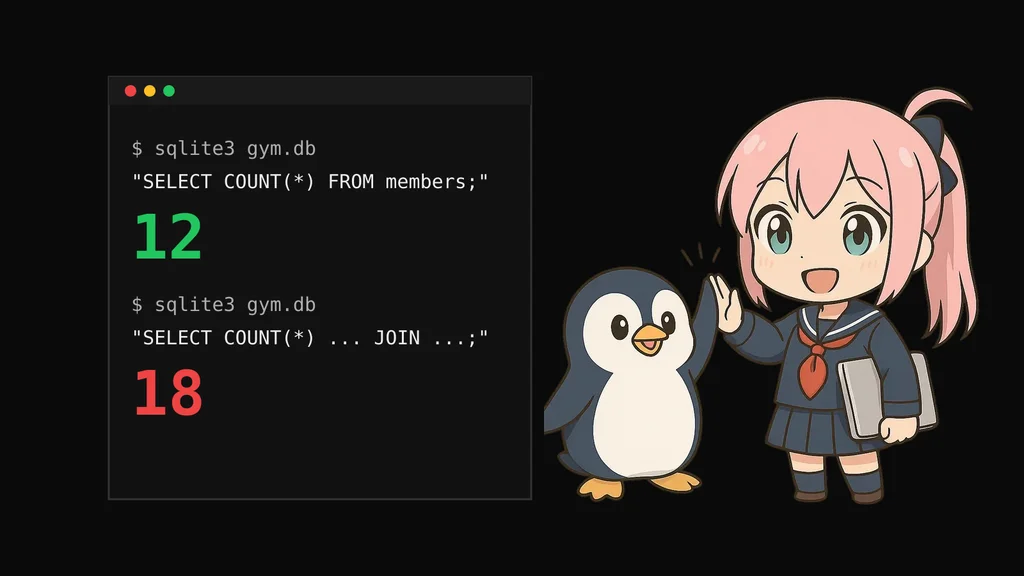
COUNT(*) counts how many rows there are.$ sqlite3 gym.db "SELECT COUNT(*) FROM members;"
12
$ sqlite3 gym.db "SELECT COUNT(*)
FROM members m
JOIN enrollments e ON e.member_id = m.id
JOIN payments p ON p.member_id = m.id;"
18
WHERE keeps only the rows that match a condition.id is 1. The * in SELECT * means "all columns."$ sqlite3 gym.db "SELECT * FROM enrollments WHERE member_id = 1;"
1|student|2025-03-31
1|basic|2026-03-31
1|pro|
JOIN makes one row for every matching row on the other side. That's why the 4,500 yen payment was copied into three rows.A relationship where "one person has several records" is called one-to-many. When you JOIN a one-to-many table, the result gets as many rows as the "many" side has.
3. Two Fixes: Keep Only Current Rows / Total First
Conclusion: Keep only current plan rows, or total per member before joining. Both give 10.
Fix 1: Keep only the current plan rows
ended_at. The row for the current plan is empty. In SQL, this empty state is called NULL.sqlite3 shows nothing for NULL. The empty end of 1|pro| that we saw earlier is a NULL.IS NULL, not = NULL. Let's type both and compare.$ sqlite3 gym.db "SELECT COUNT(*) FROM enrollments WHERE ended_at = NULL;"
0
$ sqlite3 gym.db "SELECT COUNT(*) FROM enrollments WHERE ended_at IS NULL;"
10
= NULL gives 0 rows, and IS NULL gives 10 rows. There's no error, but the results are completely different.WHERE e.ended_at IS NULL to the AI's SQL.$ sqlite3 gym.db "SELECT m.name, e.plan, p.amount FROM members m JOIN enrollments e ON e.member_id = m.id JOIN payments p ON p.member_id = m.id WHERE e.ended_at IS NULL;"
Pip|pro|4500
Momo|basic|3000
Kai|pro|4500
Luna|student|2000
Nico|pro|4500
Rio|basic|3000
Sora|pro|4500
Ana|basic|3000
Ken|student|2000
Yuki|basic|3000
Fix 2: Total first, then join
payments per member, and then connect the names. Grouping data by adding or counting is called "aggregating."$ sqlite3 gym.db "SELECT m.name, t.total
FROM members m
JOIN (SELECT member_id, SUM(amount) AS total
FROM payments GROUP BY member_id) t
ON t.member_id = m.id;"Pip|4500 Momo|3000 Kai|4500 Luna|2000 Nico|4500 Rio|3000 Sora|4500 Ana|3000 Ken|2000 Yuki|3000
GROUP BY member_id means "group by member." Since we connect one row to one row, no rows are added.AS total gives the summed column the name total. The t after the parentheses is the name for the table built inside them.ended_at is empty)."4. Count Before You Change: An UPDATE Without WHERE
Conclusion: Before UPDATE, run COUNT(*) with the same WHERE and confirm the expected 1 row.
UPDATE members
SET city = 'Osaka'
WHERE id = 3;
UPDATE is the command that rewrites the contents of a table. After SET you write the new value, and after WHERE you write the condition for which rows to rewrite.Data rewritten by UPDATE does not go to a trash bin. You can't undo it like "Undo" on your computer. It is saved the moment it runs. Before trying, make a copy with cp (the command that copies files) to stay safe. gym.db is a file made only for practice, so breaking it does not affect any other files on your computer. Try an UPDATE without WHERE only on this practice gym.db. Never try it on a work database or on someone else's files.
gym.db is practice data, so it's fine even if it breaks.cp as cp source destination. If a file with the same name already exists at the destination, it is overwritten without asking, so be careful.SELECT changes(); at the end. changes() returns the number of rows changed by the previous command.$ cp gym.db gym-backup.db
WHERE id = 3;.$ sqlite3 gym.db "UPDATE members SET city = 'Osaka'; SELECT changes();"
12
$ sqlite3 gym.db "SELECT city, COUNT(*) FROM members GROUP BY city;"
Osaka|12
UPDATE without WHERE rewrites every row in the table. This time we have a copy, so let's put it back.-i. It asks overwrite? before overwriting, so type y and press Enter. The wording may differ with your system's language setting.$ cp -i gym-backup.db gym.db
cp: overwrite 'gym.db'? y
UPDATE, count with the same WHERE. If you want to change only Kai, the answer should be 1.$ sqlite3 gym.db "SELECT COUNT(*) FROM members WHERE id = 3;"
1
$ sqlite3 gym.db "SELECT * FROM members WHERE id = 3;"
3|Kai|Sapporo
$ sqlite3 gym.db "UPDATE members SET city = 'Osaka' WHERE id = 3; SELECT changes();"
1
5. A 3-Step Check When You Ask AI
Conclusion: Predict rows, run COUNT(*), and check one row to catch too many or too few.
| Step | What to do | Example from today |
|---|---|---|
| 1 | Say first how many rows there should be | Per member: 12 rows or fewer. Only Kai: 1 row |
| 2 | Count the actual rows with COUNT(*) |
18 rows is too many. Before UPDATE, use the same WHERE |
| 3 | Take out one row and look at it | Pip's rows showed three plan records |
$ sqlite3 gym.db "SELECT COUNT(*) FROM members WHERE city = 'Tokyo';"
4
$ sqlite3 gym.db "SELECT name FROM members WHERE city = 'Tokyo';"
Pip
Momo
Luna
Nico
tokyo, city = 'Tokyo' would not pick them.$ sqlite3 gym.db "SELECT 'tokyo' = 'Tokyo', 'Tokyo' = 'Tokyo';"
0|1
0 means "different," and 1 means "the same." Even if they look alike, lowercase and uppercase letters are compared as different characters. So even if 4 people turn into 3, no error appears.Here are the common stumbling points in one table.
| Stumbling point | What happens | How to check |
|---|---|---|
JOIN a one-to-many table |
Rows are added and totals grow | Compare the result's row count with members |
Look for empty rows with = NULL |
Not a single row is picked | Write IS NULL |
Forget WHERE in UPDATE |
Every row is rewritten | Run COUNT(*) with the same WHERE first |
| Uppercase and lowercase are mixed | Rows that should be picked drop out | Compare with your prediction and look at rows |
no such table: members appears |
You are in a different directory from where you made gym.db. sqlite3 quietly creates a new, empty file if none exists |
Check with pwd (shows where you are) and go back with cd (moves between directories) |
Mini Exercises
Conclusion: Try the 3 steps on gym.db: count, look at one row, and decide for yourself.
gym.db. You can keep using the gym.db from this article.Exercise 1: How many members are on the pro plan now?
Task: You asked an AI for "the number of members currently on the pro plan," and it returned SELECT COUNT(*) FROM enrollments WHERE plan = 'pro';. The result is 6. Check whether it is right.
Show Hint 1 (Direction)
Look at the pro rows one by one. Are rows for finished plans mixed in?
Show Hint 2 (Command name)
In sqlite3, run SELECT member_id, plan, ended_at FROM enrollments WHERE plan = 'pro'; and look at the ended_at column. To keep only current plans, add AND ended_at IS NULL. AND means "only rows that match both conditions."
Show Answer
$ sqlite3 gym.db "SELECT member_id, plan, ended_at FROM enrollments WHERE plan = 'pro';"
1|pro|
3|pro|
5|pro|2025-06-30
5|pro|
7|pro|2026-04-30
7|pro|
Two finished pro rows are mixed in. Counting only the current pro rows gives 4 people.
$ sqlite3 gym.db "SELECT COUNT(*) FROM enrollments WHERE plan = 'pro' AND ended_at IS NULL;"
4
Exercise 2: Count before you change
Task: Luna moved to Osaka. Before changing her city to Osaka, confirm that only one row will change, and then run it.
Show Hint 1 (Direction)
Before rewriting, use the same condition to see "how many rows there are" and "what that row contains."
Show Hint 2 (Command name)
Count with SELECT COUNT(*) FROM members WHERE name = 'Luna';, and look at the contents with SELECT *. Finally, run UPDATE and SELECT changes();.
Show Answer
First, make a copy just in case.
$ cp gym.db gym-backup.db
$ sqlite3 gym.db "SELECT COUNT(*) FROM members WHERE name = 'Luna';"
1
$ sqlite3 gym.db "SELECT * FROM members WHERE name = 'Luna';"
4|Luna|Tokyo
$ sqlite3 gym.db "UPDATE members SET city = 'Osaka' WHERE name = 'Luna'; SELECT changes();"
1
Review
Conclusion: Check the row count and one row of AI SQL, then use it with confidence.
UPDATE that forgets WHERE rewrites every row without any error. That's why you count before you change.3-Line Summary
Conclusion: Extra JOIN rows, a missing WHERE, odd spellings: counting rows catches them all.
- Doubt it when there are more rows than members - joining a one-to-many table adds rows and inflates totals
- Count before you change - before
UPDATE, runCOUNT(*)with the sameWHERE - Predict, count, look at one row - check AI-written SQL with these 3 steps